Getting started with PayoffPilot
Updated
PayoffPilot works from two things: the debts you add, and a monthly budget you set. Give it both and it works out a payoff plan and a debt-free date.
Add your first debt
- Tap the Debts tab at the bottom.
- Tap the + button in the top-right.
- Pick your financial institution, or create a custom one.
- Enter the debt’s name, balance, APR and minimum payment.
- Optionally add a due date. A due date is what lets PayoffPilot remind you before a payment is due.
- Tap Save.
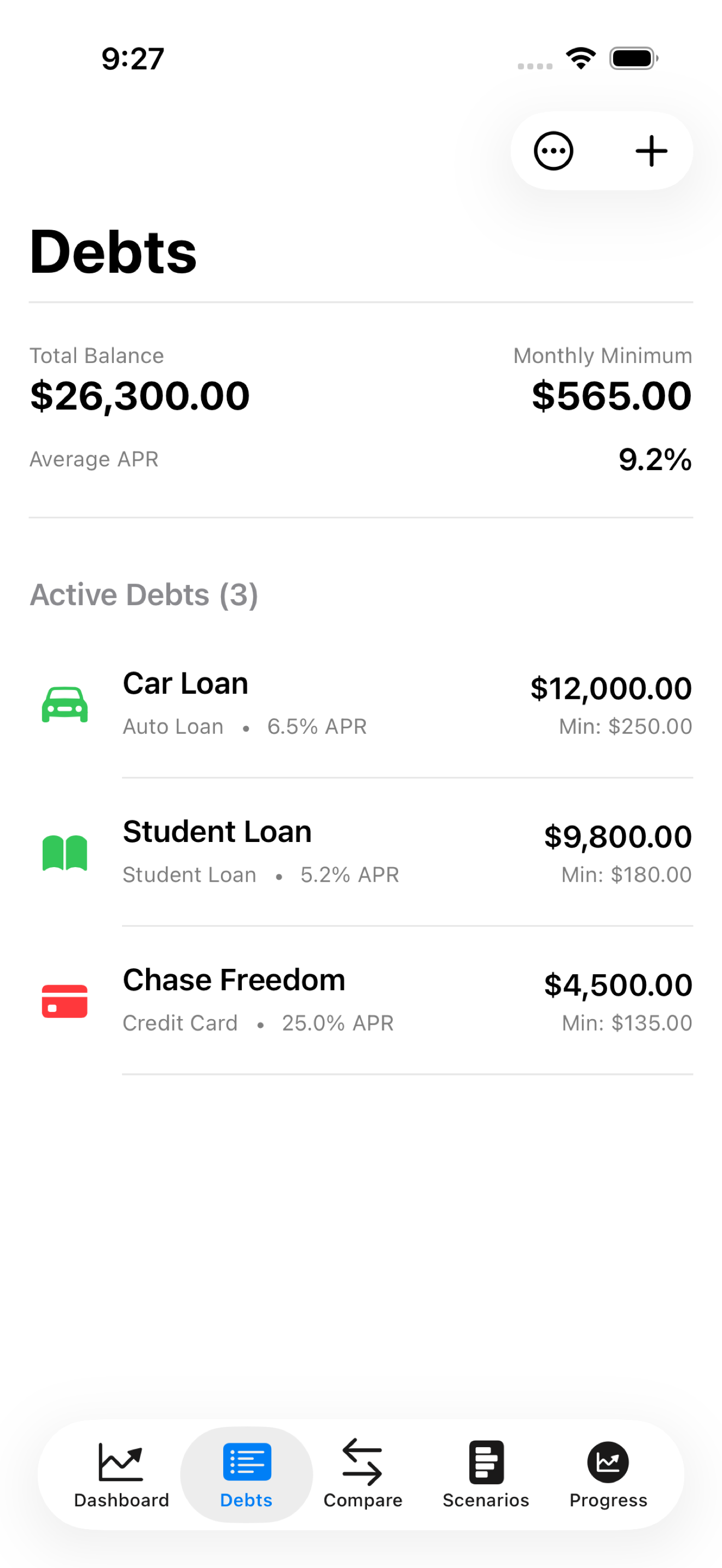
Add every debt you want in the plan. The plan only knows about what you put in.
Set up your financial profile
Your profile is what turns a list of debts into a plan.
- Tap the Dashboard tab.
- Tap the person icon in the top-right.
- Enter your monthly or yearly net income.
- Set your monthly debt budget. That’s how much you can put toward debt each month.
- Choose your preferred strategy, Snowball or Avalanche.
- Tap Save.
Your debt budget has to be at least the total of your minimum payments. If it isn’t, PayoffPilot shows a message asking you to raise it.
Then what
The Dashboard shows your total debt, your monthly minimums, your average APR and your debt-free date. From there, compare Snowball and Avalanche, log a payment as you make them, or try a what-if scenario.
Everything you enter stays on your device. There’s no account to make.
Still stuck?
Email support@bigbeardapps.com and a real person at Big Beard Apps, the studio behind PayoffPilot, will answer.
Email support